
fix

Fix It Fast, Fix It Right: The Power of Remote IT Support

Remote IT Support Services: The Complete Guide for Modern Business

Remote IT support services have become essential for companies that want fast solutions, reduced downtime, and secure systems. In this guide, youโ€™ll learn how these services work, why they matter, and how your business can benefit from them.


remote IT support services for businesses

What You Will Learn

  • The IT challenges businesses face daily
  • What remote IT support services actually are
  • How remote support works step-by-step
  • Key benefits for companies
  • Common issues solved remotely
  • Security practices
  • How to get started

The IT Challenges Modern Businesses Face

Many companies struggle with slow systems, sudden errors, and unexpected downtime. Because of this, productivity drops and frustration rises. Remote IT support services solve these issues quickly by giving businesses instant access to professional help.


What Are Remote IT Support Services?

Remote IT support services allow skilled technicians to access your computer or server from another location. As a result, issues are diagnosed and fixed without the need for an on-site visit.

technician providing remote IT support services

Why These Services Matter

  • Fast response times
  • Reduced operational costs
  • Minimal downtime
  • Access to global specialists

How Remote Support Works

1. You Request Help

You contact support via chat, phone, or email.

2. A Secure Session Begins

You receive an encrypted login link to allow access.

3. Diagnosis Happens Quickly

The technician checks logs, settings, and system performance.

4. Problems Are Fixed

They remove malware, install updates, or resolve errors.

5. You Continue Working

Your systems return to normal, and the session ends automatically.


Benefits of Remote IT Support Services

โšก Faster Response Times

Technicians fix issues instantly, which helps reduce downtime.

๐Ÿ’ฐ Lower Costs

No travel fees and fewer billable hours lead to strong cost savings.

๐Ÿ›ก Strong Security

Regular updates, quick threat detection, and security patches keep your data safe.

๐Ÿ“ˆ Better Productivity

Your team stays focused because problems get resolved quickly.


Problems Solved by Remote IT Support Services

Software & Application Issues

  • Error messages
  • System crashes
  • Slow performance

Network & Connectivity

  • WiFi issues
  • VPN configuration
  • Email syncing problems

Security

  • Virus removal
  • Firewall settings
  • Security patches

What Cannot Be Fixed Remotely?

Only physical hardware failures require on-site assistance.


Are Remote IT Support Services Secure?

Yes, they are highly secure. Providers use strong encryption, time-limited access, and detailed logs for transparency.

  • 256-bit encrypted connections
  • User-approval based access
  • Automatic session termination
  • Full activity reports

Internal Resources for Further Learning

You can also explore our related guides for more insights:
Cloud Backup Solutions | Network Security Best Practices | Managed IT Services Overview


Getting Started With Remote IT Support Services

Start by choosing a trusted provider with strong support options and secure tools. A short trial can help you decide if remote support fits your workflow.


Edison Vinson

IT Strategy Consultant & Infrastructure Architect

Edison Vinson helps businesses modernize their IT systems and adopt secure, scalable technologies. He writes extensively about IT strategy, infrastructure design, and modern engineering practices.


Connect with Edison:
LinkedIn | Medium | Twitter/X

small bussiness

Small Business IT Solutions for Growing Companies

A Complete Guide for Growing Companies

Small business IT solutions are critical for companies looking to boost efficiency, secure data, and enable seamless collaboration. With numerous software and hardware options available, choosing the right IT solutions for your business can feel overwhelming. This guide breaks down the steps to select and implement IT systems that fit your companyโ€™s specific needs.


small business IT solutions for improving efficiency

Step 1: Assess Your Business IT Needs

Start by understanding the challenges and goals of your business before adopting new IT solutions. Ask yourself:

  • Which processes take too much time and can be automated?
  • Do I need better collaboration tools for my team?
  • What level of data storage, backup, and security is required?
  • Are there industry-specific compliance requirements, such as HIPAA or GDPR?

For example, a retail business may need integrated inventory management, while a service-based business might prioritize secure client data storage and communication.

Step 2: Identify Key IT Solutions

Once your needs are clear, evaluate the types of IT solutions that will help your small business operate efficiently.

Hardware and Devices

Reliable computers, laptops, mobile devices, and networking equipment form the foundation of your IT infrastructure. Ensure your hardware supports current software and offers scalability for future growth.

Cloud Computing and Storage

Cloud-based IT solutions provide flexible storage, remote access, and backup options. Consider:

  • Google Workspace or Microsoft 365 for team collaboration
  • Dropbox Business or OneDrive for file storage and sharing
  • Amazon AWS or Google Cloud for scalable cloud infrastructure

Business Software

Streamline your operations using specialized software for accounting, CRM, and project management:

  • QuickBooks or Xero for finance and accounting
  • HubSpot CRM or Zoho CRM for customer relationship management
  • Trello, Asana, or Monday.com for project tracking and task management

Cybersecurity Solutions

Protect your business from cyber threats with essential IT security solutions:

  • Antivirus and endpoint protection
  • Secure VPNs for remote work
  • Multi-factor authentication and encrypted storage

Step 3: Integrate and Customize Your IT Systems

Integration is key to maximizing efficiency. Connect your software and devices so that data flows smoothly between platforms.

  • Automate repetitive tasks using tools like Zapier or Microsoft Power Automate
  • Centralize storage to reduce duplication
  • Set permissions and access controls for security
  • Use APIs to enable seamless data sharing between apps

Step 4: Optimize IT Costs and Performance

IT solutions save money only when used efficiently. Consider the following:

  • Choose plans that match your business usage to avoid unnecessary expenses
  • Review and remove unused software or licenses
  • Take advantage of free or entry-level tiers for small-scale operations
  • Compare vendors to find cost-effective solutions that meet your business goals

Step 5: Ensure Security and Compliance

Cybersecurity is critical for protecting customer data and maintaining trust.

  • Implement multi-factor authentication
  • Perform regular backups and data recovery tests
  • Choose vendors with recognized compliance certifications
  • Educate employees on safe IT practices and phishing prevention

Final Thoughts: Evolving Your IT Strategy

Small business IT solutions should evolve as your company grows. Regularly review your IT systems to ensure they continue to meet operational and security needs. Stay updated on emerging technologies, and consider professional advice when integrating new solutions into your workflow.


Edison Vinson

IT Strategy Consultant & Small Business Technology Advisor

Edison Vinson helps small businesses implement IT solutions that enhance productivity, improve security, and reduce costs. He writes about IT strategy, cloud computing, and technology adoption for growing businesses.

Connect with Edison:
LinkedIn | Medium | Twitter/X

network-management-take-back-control-of-your-network-with-sd-wan

Network Management Solutions: Simplify, Secure, and Scale Your Business

Network Management Solutions: Simplify, Secure, and Scale Your Business

Network management solutions are essential for businesses that want reliable connectivity, secure systems, and efficient network performance. Whether you run a small office or a growing enterprise, the right network management tools help monitor, maintain, and optimize your IT infrastructure.


network management solutions for businesses

Step 1: Assess Your Network Needs

Before selecting network management solutions, evaluate your businessโ€™s current network setup and challenges:

  • Are there frequent connectivity issues or downtime?
  • Do you need centralized monitoring of devices and traffic?
  • How critical is network security and compliance for your business?
  • Do you require remote access for employees or branch offices?

Understanding these requirements ensures that your chosen network management solution aligns with your business goals.

Step 2: Identify Core Network Management Solutions

Businesses benefit from different types of network management solutions depending on their scale and objectives.

Network Monitoring Tools

Monitor devices, servers, and traffic in real-time to prevent downtime and performance issues:

  • SolarWinds Network Performance Monitor
  • PRTG Network Monitor
  • ManageEngine OpManager

Security and Firewall Solutions

Protect your network from cyber threats and unauthorized access:

  • Next-generation firewalls (NGFW) like Palo Alto Networks
  • Endpoint security and antivirus solutions
  • VPNs and secure remote access tools

Bandwidth and Traffic Management

Optimize your network performance by managing bandwidth and prioritizing traffic:

  • QoS (Quality of Service) policies for critical applications
  • Bandwidth monitoring to prevent congestion
  • Load balancing for high availability

Cloud and Hybrid Network Solutions

For businesses with cloud infrastructure, network management solutions ensure seamless connectivity and security across local and cloud networks:

  • Cloud-based SD-WAN solutions
  • Centralized dashboards for hybrid networks
  • Automation for scaling resources and updates

Step 3: Integrate and Automate Your Network

Proper integration improves efficiency and reduces manual tasks:

  • Automate alerts and maintenance tasks
  • Centralize network logs and reporting for faster troubleshooting
  • Implement role-based access control for security
  • Use APIs to connect network monitoring tools with IT management platforms

Step 4: Optimize Costs and Performance

Efficient network management helps control costs and maximize performance:

  • Choose subscription plans that match your business size
  • Monitor usage and remove unused licenses or devices
  • Regularly review network performance and adjust configurations
  • Compare providers to ensure cost-effective solutions without compromising reliability

Step 5: Ensure Security and Compliance

Network security is critical for protecting sensitive data and maintaining business continuity:

  • Implement multi-factor authentication for network access
  • Perform routine vulnerability scans and penetration tests
  • Ensure compliance with industry standards like ISO, SOC 2, HIPAA, or GDPR
  • Train staff on network security best practices

Final Thoughts: Evolving Your Network Strategy

Network management solutions should grow alongside your business. Regularly review network performance, adopt new technologies, and integrate automation to maintain secure and high-performing networks.


Edison Vinson

IT Strategy Consultant & Network Solutions Advisor

Edison Vinson helps businesses implement network management solutions that improve connectivity, security, and operational efficiency. He writes about IT strategy, cloud networking, and cybersecurity for growing companies.

Connect with Edison:
LinkedIn | Medium | Twitter/X

adi-goldstein-EUsVwEOsblE-unsplash

Managed IT Services India: Boost Efficiency, Security & Business Growth

Managed IT Services India: Boost Efficiency, Security & Business Growth

Managed IT services in India are transforming the way businesses handle their technology infrastructure. By outsourcing IT operations to experts, companies can focus on their core activities while ensuring secure, efficient, and reliable IT systems. From small businesses to large enterprises, managed IT services help optimize costs, enhance productivity, and minimize downtime.


managed IT services India for businesses

Step 1: Understand Your Business IT Needs

Before choosing a managed IT service provider, evaluate your business requirements:

  • Do you need 24/7 IT monitoring and support?
  • Is cybersecurity a top priority?
  • Are you looking to optimize costs and reduce downtime?
  • Do you need scalable IT solutions to support growth?

Identifying these needs ensures your managed IT services provider delivers tailored solutions that fit your business goals.

Step 2: Key Managed IT Services Offered in India

Managed IT service providers in India offer a wide range of solutions to address various business IT challenges.

IT Infrastructure Management

Providers manage servers, networks, and devices to ensure reliable and secure operations:

  • Server and network monitoring
  • Hardware and software maintenance
  • Cloud and on-premises infrastructure management

Cybersecurity and Data Protection

Protect your business from cyber threats with comprehensive security solutions:

  • Managed firewalls and antivirus solutions
  • Data backup and disaster recovery
  • Endpoint protection and threat monitoring

Help Desk and Technical Support

Ensure your employees receive fast and efficient IT support:

  • 24/7 helpdesk support
  • Remote troubleshooting and on-site assistance
  • User training and IT guidance

Cloud Services and Digital Transformation

Leverage cloud computing and modern IT tools for scalability and productivity:

  • Cloud migration and management
  • Collaboration tools like Microsoft 365 and Google Workspace
  • Automation and integration solutions

Step 3: Benefits of Managed IT Services in India

  • Cost Efficiency: Reduce operational costs by outsourcing IT management.
  • Improved Security: Protect your business against cyber threats and data loss.
  • 24/7 Support: Continuous monitoring and support minimize downtime.
  • Focus on Core Business: Allow your team to focus on strategic activities while IT experts handle technology.
  • Scalability: Easily scale IT resources according to business growth.

Step 4: Choosing the Right Managed IT Service Provider

Selecting the right provider is crucial for long-term success:

  • Check the providerโ€™s experience and client testimonials
  • Assess their range of services and expertise
  • Verify response times and support availability
  • Ensure they follow security and compliance standards
  • Compare pricing models to get cost-effective solutions

Final Thoughts: Why Businesses in India Are Adopting Managed IT Services

Managed IT services in India are becoming a strategic choice for businesses seeking secure, reliable, and scalable IT infrastructure. By partnering with a professional provider, companies can reduce risks, improve operational efficiency, and focus on growth. As technology evolves, having a trusted managed IT services partner ensures your business stays ahead of the competition.


Edison Vinson

IT Strategy Consultant & Managed Services Advisor

Edison Vinson helps businesses in India implement managed IT services to optimize technology, reduce costs, and enhance security. He writes about IT strategies, cloud computing, and cybersecurity for growing companies.

Connect with Edison:
LinkedIn | Medium | Twitter/X

alexandre-debieve-FO7JIlwjOtU-unsplash

Cybersecurity Solutions Provider: Protect Your Business from Emerging Threats

Protect Your Business from Emerging Threats

In todayโ€™s digital world, businesses face increasing threats from cyber attacks, data breaches, and ransomware. Partnering with a trusted cybersecurity solutions provider ensures your business stays secure while maintaining operational efficiency. From small startups to large enterprises, professional cybersecurity services offer protection against evolving cyber risks.


cybersecurity solutions provider for business security

Step 1: Assess Your Cybersecurity Needs

Before selecting a cybersecurity provider, evaluate your organizationโ€™s current risks and requirements:

  • What types of sensitive data do you handle?
  • Are your systems protected against malware, phishing, and ransomware?
  • Do you need regulatory compliance like GDPR, HIPAA, or ISO standards?
  • How prepared is your business for disaster recovery?

This assessment helps in choosing a provider that can offer customized security solutions for your unique business needs.

Step 2: Key Services Offered by Cybersecurity Solutions Providers

Professional cybersecurity providers deliver a comprehensive range of services to protect businesses from cyber threats.

Network Security

Protect your internal systems and networks with advanced security solutions:

  • Firewalls and intrusion detection systems
  • Secure VPN and remote access
  • Continuous network monitoring for threats

Endpoint Protection

Safeguard devices like laptops, servers, and mobile phones from cyber attacks:

  • Antivirus and anti-malware solutions
  • Patch management and system updates
  • Endpoint detection and response (EDR)

Data Security & Encryption

Protect sensitive business data from unauthorized access:

  • Data encryption and tokenization
  • Backup solutions and disaster recovery planning
  • Access control and identity management

Cloud Security

Secure your cloud infrastructure and applications from vulnerabilities:

  • Cloud monitoring and threat detection
  • Secure configuration of cloud services
  • Cloud compliance management

Security Awareness & Training

Educate your team to prevent cyber attacks caused by human error:

  • Phishing simulation and training
  • Best practices for password and access management
  • Regular cybersecurity awareness workshops

Step 3: Benefits of Partnering with a Cybersecurity Solutions Provider

  • Enhanced Protection: Guard your business against malware, ransomware, and cyber attacks.
  • Regulatory Compliance: Meet industry-specific compliance standards easily.
  • Proactive Monitoring: Detect threats before they affect your operations.
  • Cost Savings: Reduce losses from data breaches and downtime.
  • Focus on Core Business: Let experts handle security while you focus on growth.

Step 4: Choosing the Right Cybersecurity Provider

Selecting the right provider ensures long-term security and business success:

  • Check the providerโ€™s experience and past client successes
  • Assess their portfolio of services and industry expertise
  • Verify response times and 24/7 support availability
  • Confirm compliance certifications and security practices
  • Compare pricing models for cost-effective solutions

Final Thoughts: Securing Your Business for the Future

Cyber threats are constantly evolving, making cybersecurity a top priority for businesses worldwide. A professional cybersecurity solutions provider can help safeguard your systems, data, and reputation. By implementing robust security measures, continuous monitoring, and employee training, your business stays resilient against cyber attacks and can focus on growth confidently.


Edison Vinson

Cybersecurity Consultant & IT Security Advisor

Edison Vinson helps businesses implement cybersecurity solutions to protect against threats and ensure compliance. He writes about cybersecurity trends, data protection, and IT security strategies for companies in India and beyond.

Connect with Edison:
LinkedIn | Medium | Twitter/X

paul-hanaoka-s0XabTAKvak-unsplash

End to End IT Solutions: Empowering Businesses with Complete IT Support

End to End IT Solutions: Empowering Businesses with Complete IT Support

Modern businesses require seamless technology integration to stay competitive. End to end IT solutions provide a comprehensive approach, covering everything from IT infrastructure and cloud computing to cybersecurity and ongoing support. Partnering with a reliable IT solutions provider ensures your business operations run efficiently, securely, and without interruption.


end to end IT solutions for business growth

Step 1: Assess Your IT Requirements

The first step in implementing end to end IT solutions is understanding your current IT landscape and business needs:

  • What IT challenges are affecting productivity?
  • Which processes can be automated or improved with technology?
  • Do you need cloud infrastructure, cybersecurity, or network management?
  • Are there industry-specific compliance requirements?

This evaluation allows your IT solutions provider to recommend tailored solutions aligned with your business goals.

Step 2: Core Components of End to End IT Solutions

A robust end-to-end IT approach integrates multiple services to ensure efficiency and security.

IT Infrastructure & Networking

Establish a reliable and scalable technology backbone for your business:

  • Server setup and management
  • Network architecture and management
  • Cloud infrastructure deployment and support

Cybersecurity & Data Protection

Safeguard your business from cyber threats with proactive security measures:

  • Firewalls, antivirus, and endpoint security
  • Data encryption and backup solutions
  • Regulatory compliance like GDPR or HIPAA

Cloud Solutions & Remote Access

Enable scalable collaboration and productivity with cloud-based tools:

  • Cloud storage and collaboration tools
  • Virtual private networks (VPNs) for remote access
  • Integration with business applications

Managed IT Services & Support

Ensure smooth operations with ongoing IT support and monitoring:

  • 24/7 IT support and troubleshooting
  • System updates and patch management
  • Performance monitoring and optimization

Step 3: Benefits of End to End IT Solutions

  • Streamlined Operations: Unified IT services reduce downtime and complexity.
  • Enhanced Security: Protect business-critical data and infrastructure from threats.
  • Scalability: Easily scale IT resources as your business grows.
  • Cost Efficiency: Optimize IT budgets by leveraging integrated solutions.
  • Focus on Core Business: Free up internal resources while experts manage IT.

Step 4: Choosing the Right IT Solutions Provider

Selecting a trusted IT partner ensures long-term technology success:

  • Assess experience across multiple IT domains
  • Check past client success stories and case studies
  • Evaluate 24/7 support and response times
  • Confirm expertise in cloud, security, and compliance standards
  • Compare pricing and service packages for cost-effectiveness

Final Thoughts: Future-Proof Your Business with End to End IT Solutions

Investing in end to end IT solutions equips your business with a complete technology ecosystem. From infrastructure and networking to security and cloud services, these solutions ensure your operations are secure, efficient, and scalable. Partner with the right IT provider to empower your business for long-term success.


Edison Vinson

IT Consultant & Technology Advisor

Edison Vinson helps businesses implement end-to-end IT solutions, providing comprehensive support for infrastructure, cloud, cybersecurity, and managed services.

Connect with Edison:
LinkedIn | Medium | Twitter/X

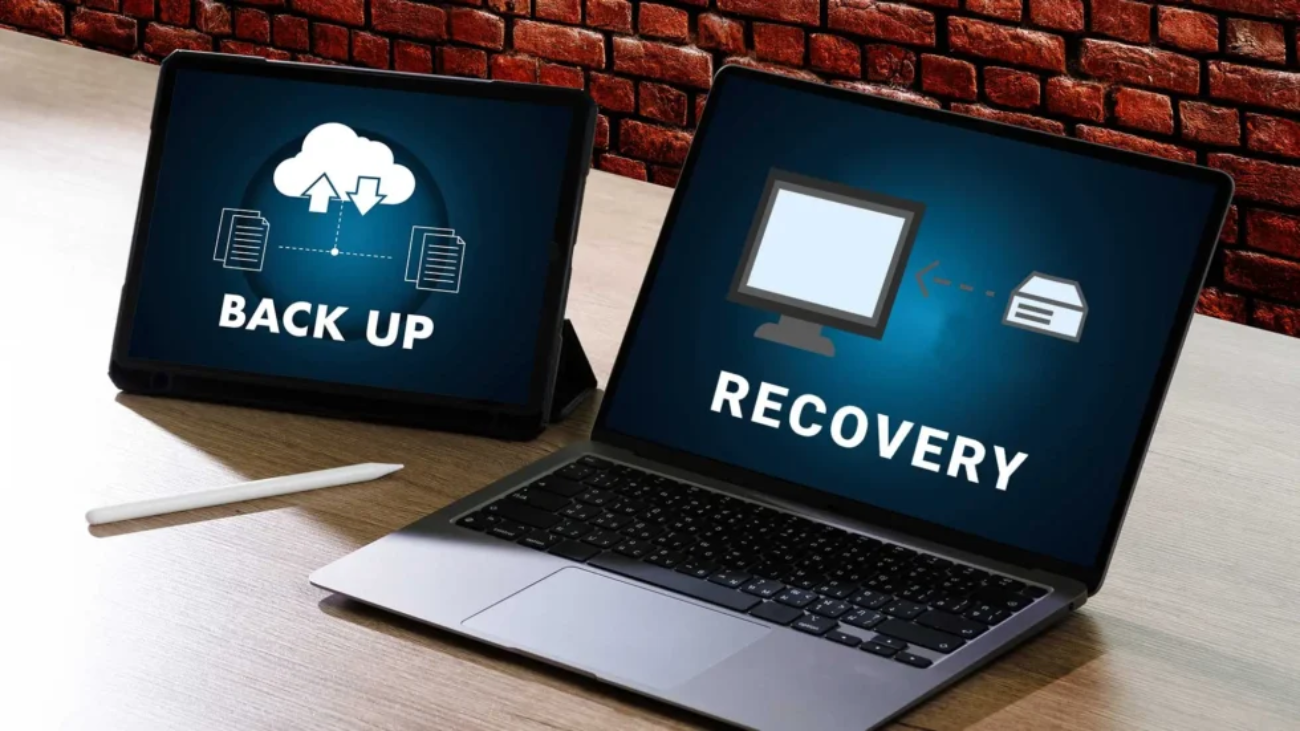
What-is-Data-Backup-and-Recovery

Data Backup and Recovery Solutions: Protect Your Business from Data Loss

At Siri Tech No Fabs, we understand that in todayโ€™s digital-first business environment, data is one of your most valuable assets. Customer records, financial data, intellectual property, and operational systems all depend on reliable access to information.

Yet data lossโ€”caused by cyberattacks, hardware failures, human error, or natural disastersโ€”can strike at any time. Without a solid backup and recovery strategy, the consequences can be severe: downtime, financial loss, reputational damage, and even regulatory penalties.

Why Data Backup and Recovery Matter

Data loss is not just an IT problemโ€”itโ€™s a business risk. According to industry studies, a significant percentage of companies that experience major data loss struggle to recover or even shut down within months.

Effective backup and recovery solutions from Siri Tech No Fabs help businesses:

  • Ensure business continuity during system failures or cyber incidents
  • Minimize downtime and maintain productivity
  • Protect against ransomware and cyberattacks
  • Meet compliance and regulatory requirements
  • Safeguard customer trust and brand reputation

Common Causes of Data Loss

Understanding the risks helps you plan better protection. Common causes include:

  • Cyberattacks: Ransomware, malware, and phishing attacks
  • Hardware failures: Disk crashes, server failures, power outages
  • Human error: Accidental deletion or misconfiguration
  • Natural disasters: Fires, floods, earthquakes
  • Software issues: Corruption, failed updates, system bugs

Types of Data Backup Solutions

1. On-Premises Backup

Data is stored locally on physical servers, external drives, or NAS.

Pros: Full control, fast local recovery.

Cons: Vulnerable to disasters, higher hardware costs.

2. Cloud Backup

Data is securely stored in remote cloud data centers.

Pros: Scalable, cost-effective, automated.

Cons: Dependent on internet, ongoing costs.

3. Hybrid Backup

Combines on-premises and cloud backups.

Pros: Added resilience, fast local recovery.

Cons: More complex to manage.

Data Recovery Solutions Explained

Backup is only half the equationโ€”recovery is equally critical. Key recovery concepts include:

  • Recovery Point Objective (RPO): How much data you can afford to lose (measured in time).
  • Recovery Time Objective (RTO): How quickly systems must be restored.

Advanced recovery solutions offer features such as bare-metal recovery, virtual machine recovery, and Disaster Recovery as a Service (DRaaS).

Best Practices for Protection

  • Follow the 3-2-1 Rule: 3 copies of data, 2 different media, 1 copy off-site.
  • Automate: Reduce human error by scheduling automatic backups.
  • Test: Regularly verify that recovery works before an emergency.
  • Encrypt: Protect backup data for security and compliance.
  • Monitor: Update policies as your data volume grows.

Choosing the Right Solution

When selecting a backup and recovery solution, consider your business size, compliance requirements, budget, and required recovery speed. Siri Tech No Fabs can help simplify implementation and ensure continuous monitoring.

Protect Your Business Today

Data loss is not a matter of ifโ€”itโ€™s a matter of when. Investing in reliable solutions from Siri Tech No Fabs is essential to protect your organization from operational disruption and financial loss.

Speak to a Recovery Expert
Technical support concept. Maintenance sign wrench and srewdriver tools. Tech issues fix service.

Beyond the Blueprint:ย Putting Modern IT Infrastructure into Practice

Endpoint Security Solutions: A Complete Guide for Modern Cyber Protection

Endpoint security solutions are now essential for businesses because every device that connects to your network is a potential entry point for attackers. With cyber threats growing rapidly, companies must protect laptops, desktops, mobile devices, and tablets to ensure data safety and operational continuity.


endpoint security solutions for business protection

What You Will Learn

  • What endpoint security solutions are
  • Why businesses need strong endpoint protection
  • Common cyber threats targeting devices
  • Key components of modern endpoint security
  • Best practices followed by secure organizations
  • How to select the right endpoint security solution

What Are Endpoint Security Solutions?

Endpoint security solutions protect devices against malware, unauthorized access, and advanced cyber threats. Unlike traditional antivirus tools, modern endpoint protection includes real-time monitoring, behavioral analysis, and automated threat response.

devices protected by endpoint security solutions

Why Endpoint Security Solutions Matter

Businesses rely on multiple devices daily. Because each one stores sensitive data, attackers target endpoints to gain access to entire networks. Additionally, remote work has increased the number of unmanaged devices, making endpoint protection even more important.

  • Prevents unauthorized data access
  • Reduces malware and ransomware attacks
  • Improves compliance with security standards
  • Protects remote and hybrid employees

Common Cyber Threats Targeting Endpoints

Cyber attackers use several methods to compromise business devices. Below are the most frequent threats.

1. Malware Attacks

Includes ransomware, spyware, and viruses that steal or encrypt data.

2. Phishing Attacks

Hackers trick users into revealing login credentials or financial details.

3. Unauthorized Access

Attackers gain access to devices using weak, reused, or stolen passwords.

4. Outdated Software Exploits

Unpatched applications create vulnerabilities that hackers exploit easily.


Key Components of Modern Endpoint Security Solutions

1. Antivirus & Malware Protection

Detects and blocks harmful software. Moreover, modern systems use AI to identify new and unknown threats.

2. Endpoint Detection and Response (EDR)

Monitors devices continuously and alerts teams about suspicious activities.

3. Firewall Protection

Blocks unauthorized connections and filters malicious traffic.

4. Encryption

Converts sensitive information into unreadable data to keep it protected.

5. Patch and Update Management

Ensures every device runs the latest software to eliminate security vulnerabilities.


Best Practices for Stronger Endpoint Security

  • Enable multi-factor authentication (MFA)
  • Use unique and secure passwords
  • Train employees to detect phishing attempts
  • Encrypt sensitive files and devices
  • Schedule regular software updates

Internal Resources for Further Learning

Improve your cybersecurity knowledge with our related guides:
Network Security Best Practices | Cloud Backup Solutions | Managed IT Services Overview


How to Choose the Right Endpoint Security Solution

First, evaluate your company’s security risks, number of devices, and compliance needs. After that, look for features like EDR, real-time threat monitoring, firewall protection, encryption, and strong reporting tools.


Edison Vinson

IT Strategy Consultant & Infrastructure Architect

Edison Vinson helps organizations modernize their infrastructure, strengthen cybersecurity, and adopt scalable cloud solutions. He writes about endpoint security, system architecture, and modern IT strategy.

Connect with Edison:
LinkedIn | Medium | Twitter/X

cyber

Hackers Hate This: The Ultimate Endpoint Security Playbook

Endpoint Security Solutions: The Complete Guide for Modern Businesses

Endpoint security solutions are essential for businesses that rely on laptops, mobiles, and desktops for daily operations. As cyber threats increase, organizations must secure every device to prevent breaches, protect sensitive data, and maintain smooth operations.


endpoint security solutions for business devices

What You Will Learn

  • What endpoint security solutions are
  • Why businesses need them
  • Common endpoint threats
  • Key components of modern endpoint security
  • Best practices to improve protection
  • How to choose the right endpoint security solution

What Are Endpoint Security Solutions?

Endpoint security solutions protect devices such as laptops, desktops, mobile phones, and tablets from unauthorized access and cyber threats. Unlike traditional antivirus tools, modern endpoint security offers advanced threat detection, automated responses, and real-time monitoring.

secured endpoint devices protected by endpoint security solutions

Why Endpoint Security Solutions Matter

Today, organizations face sophisticated attacks that target employeesโ€™ devices. Therefore, securing endpoints has become a top priority for businesses of all sizes. Additionally, remote work has increased the number of devices connecting to company networks, making robust security even more important.

  • Prevents data breaches
  • Enhances compliance
  • Reduces malware attacks
  • Protects remote employees

Common Threats Against Endpoints

Modern attackers use several methods to target business devices. Here are the most common risks:

Malware Attacks

Viruses, spyware, and ransomware infect devices and steal or lock data.

Phishing & Social Engineering

Hackers trick users into revealing sensitive information.

Unauthorized Access

Weak passwords or stolen credentials allow attackers into systems.

Unpatched Software

Outdated applications become easy targets for cybercriminals.


Key Components of Endpoint Security Solutions

1. Antivirus & Malware Protection

Detects and removes harmful software before it spreads. Furthermore, modern tools use machine learning to catch new threats.

2. Endpoint Detection & Response (EDR)

EDR continuously monitors devices for suspicious activity and provides real-time alerts.

3. Firewall Protection

Prevents unauthorized access to your network and blocks dangerous traffic.

4. Encryption

Keeps confidential data safe by converting it into unreadable formats.

5. Patch & Update Management

Automatically updates apps and removes vulnerabilities.


Best Practices to Strengthen Endpoint Security

  • Use strong, unique passwords
  • Enable multi-factor authentication
  • Apply software updates regularly
  • Train employees to recognize phishing attacks
  • Encrypt sensitive files and devices

Internal Resources for Further Learning

For deeper insights, explore our related cybersecurity guides:
Network Security Best Practices | Cloud Backup Solutions | Managed IT Services Overview


How to Choose the Right Endpoint Security Solution

Before selecting a tool, evaluate your number of devices, security risks, and compliance needs. After that, check for features like EDR, threat intelligence, encryption, and 24/7 monitoring.


Edison Vinson

IT Strategy Consultant & Infrastructure Architect

Edison Vinson helps businesses modernize IT systems and adopt strong cybersecurity measures. He writes extensively about endpoint security, cloud architecture, and infrastructure modernization.

Connect with Edison:
LinkedIn | Medium | Twitter/X

cloud

Skyโ€™s the Limit? Not Anymore โ€” Rule the Cloud Your Way

Remote IT Support Services: A Complete Guide for Modern Businesses

Remote IT support services are now essential for companies that want fast issue resolution and secure, reliable systems. They allow businesses to fix problems quickly, avoid delays, and stay productive. This guide explains how remote IT support works, why it is important, and how your organization can benefit from it.


Remote IT support services for modern businesses

What You Will Learn

  • Key challenges businesses face today
  • What remote IT support services include
  • How remote support works step-by-step
  • Benefits for businesses
  • Common issues solved remotely
  • Security practices used in remote support
  • How to get started

The IT Challenges Modern Businesses Face

Many companies deal with frequent system issues, unexpected errors, and slow performance. As a result, teams lose valuable time. Fortunately, remote IT support services provide quick solutions that help reduce downtime and restore productivity.


What Are Remote IT Support Services?

Remote IT support services allow trained technicians to access your systems from another location. Because of this secure access, issues are diagnosed and resolved without requiring an on-site visit. This makes support faster, easier, and more efficient.

Technician offering remote IT support services

Why These Services Matter

  • Quick issue resolution
  • Lower operational costs
  • Minimal downtime
  • Access to specialized support

How Remote Support Works

1. You Request Assistance

You can reach support teams through phone, email, or live chat.

2. A Secure Session Begins

The technician shares a protected access link that lets them connect to your device.

3. Diagnosis Takes Place

They check system logs, errors, and performance to identify the root cause.

4. The Issue Gets Fixed

The technician installs updates, removes malware, or adjusts settings. As a result, your system becomes stable again.

5. The Session Ends Safely

You regain control, and the session closes automatically.


Benefits of Remote IT Support Services

โšก Faster Response Times

Issues are resolved quickly, which helps teams continue working without long interruptions.

๐Ÿ’ฐ Reduced Costs

You avoid travel charges and reduce the need for on-site visits.

๐Ÿ›ก Strong Security Standards

Regular updates and fast threat detection help protect your data.

๐Ÿ“ˆ Higher Productivity

Your team stays efficient because problems are addressed without delay.


Problems Solved by Remote IT Support Services

Software & Application Issues

  • Error messages
  • Unexpected crashes
  • Slow systems

Network & Connectivity

  • WiFi issues
  • VPN setup assistance
  • Email configuration

Security

  • Malware removal
  • Firewall adjustments
  • Security updates

What Cannot Be Fixed Remotely?

Only physical hardware damage requires on-site support.


Are Remote IT Support Services Secure?

Yes, they are highly secure. Providers follow strong protection standards, and every session is controlled by the user. Additionally, all activities are fully logged for transparency.

  • Encrypted access
  • User approval before connection
  • Time-limited sessions
  • Detailed activity logs

Internal Resources You Can Explore

For more helpful information, you can explore these related guides:
Cloud Backup Solutions | Network Security Best Practices | Managed IT Services Overview


Getting Started With Remote IT Support Services

The best way to begin is by choosing a trusted provider that offers secure tools and fast response options. Running a short trial helps you understand how remote support fits your workflow.


Edison Vinson

IT Strategy Consultant & Infrastructure Architect

Edison Vinson helps companies modernize their IT systems with secure and scalable solutions. He writes about IT strategy, business technology, and infrastructure design.

Connect with Edison:
LinkedIn | Medium | Twitter/X